How to Check Dunkin Gift Card Balance in 60 Seconds (All 5 Methods)
Checking a Dunkin gift card balance takes less than a minute. Visit dunkindonuts.com/en/dunkin-cards/check-balance, enter the 16-digit card number printed on the back, scratch off the silver panel to reveal the 4-digit PIN, and hit Submit. The remaining balance displays instantly — no Dunkin account or login required.
That is the fastest method. Below are all five ways to check a Dunkin Donuts gift card balance, plus how to reload, merge cards, earn Dunkin Rewards points, and fix the most common card issues.
Dunkin Gift Card Balance Check: 5 Methods That Work Right Now
1. Check Dunkin Gift Card Balance Online (Fastest Method)
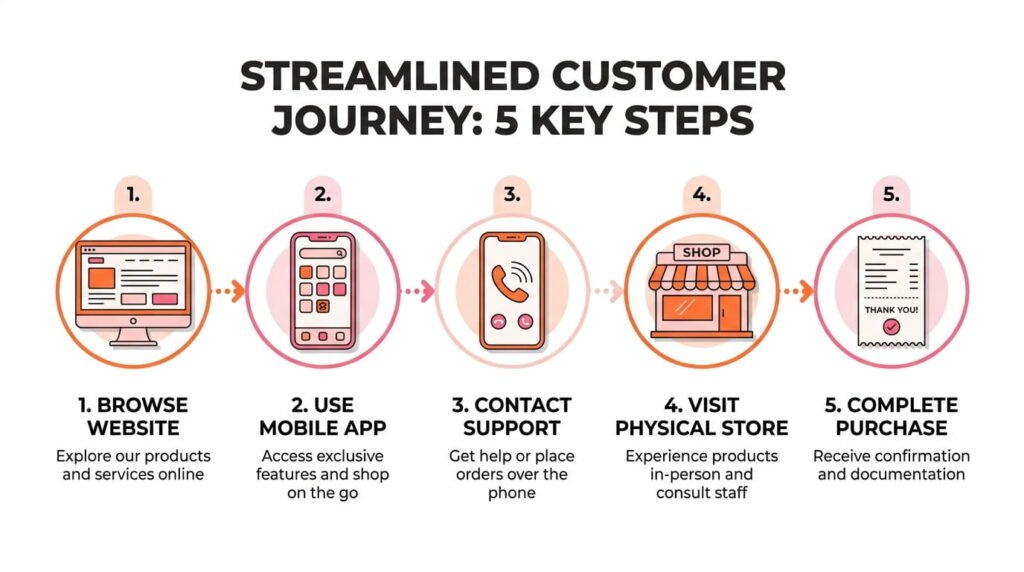
The Dunkin website is the quickest and most reliable way to see a prepaid card balance.
- Open a browser and go to dunkindonuts.com
- Click Dunkin Cards in the top navigation menu
- Select Check Balance
- Type in the 16-digit card number found on the back of the card
- Scratch the silver panel and enter the 4-digit PIN
- Click Submit — the balance appears immediately
For cardholders who have linked their Dunkin Card to a Dunkin Rewards account, logging into the account and visiting Manage Cards shows the balance updating in real time after every transaction.
2. Dunkin App Balance Check (Best for Frequent Visitors)
The Dunkin mobile app lets users track their prepaid card balance, place mobile orders, and earn loyalty points all in one place.
- Download the Dunkin app from the Apple App Store (iOS) or Google Play Store (Android)
- Sign in or create a free Dunkin Rewards account
- Tap Account, then select Manage Payments or Add/Manage Cards
- Tap Add a Dunkin Card and enter the card number and PIN
- The balance shows immediately and refreshes after every purchase
The app also supports auto-reload and real-time transaction history, making it the smartest tool for regular Dunkin customers.
3. Check Dunkin Card Balance by Phone
Anyone who prefers a phone call over an app or website can use the Dunkin toll-free automated line.
- Call 1-800-447-0013
- Select the gift card balance option from the voice menu
- Enter the 16-digit card number and 4-digit PIN using the keypad
- The system reads the current balance aloud
The entire process takes under two minutes with no hold time or live agent needed.
4. In-Store Dunkin Gift Card Balance Check
This option works for anyone already visiting a Dunkin location.
- Walk up to the counter at any participating Dunkin restaurant
- Hand the physical card or show the digital eGift card on a phone screen
- Ask the cashier for a balance check — no purchase is required
- The cashier swipes the card and confirms the remaining amount
Both plastic Dunkin gift cards and digital Dunkin eGift cards work the same way at the counter.
5. Check Balance on the Purchase Receipt
Every Dunkin transaction receipt prints the remaining card balance at the bottom of the slip. This is the easiest passive method — no apps, no phone calls, just a glance after the next coffee run.
What Is a Dunkin Gift Card and How Does It Work?
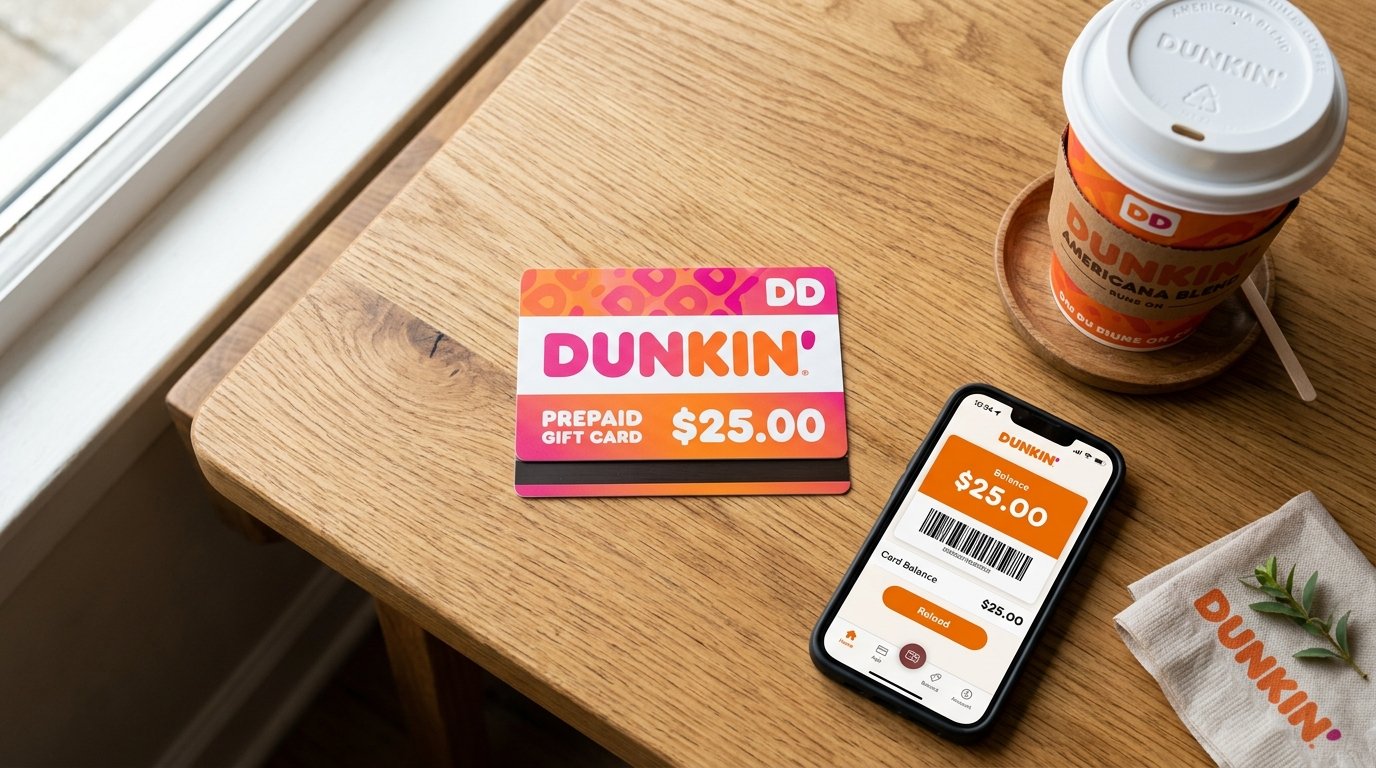
A Dunkin gift card — officially called a Dunkin Card — is a reloadable prepaid card accepted at any participating Dunkin location across the United States. It functions like cash for in-store purchases, drive-through orders, and mobile orders placed through the Dunkin app.
Dunkin offers two card formats:
- Physical Dunkin gift cards — Plastic cards sold at Dunkin restaurants, on the Dunkin website, and at retail chains including Walmart, Target, CVS, Walgreens, and BJ’s Wholesale Club
- Dunkin eGift cards — Digital cards delivered instantly via email or text message, ideal for last-minute gifts and contactless payments
Both formats share the same key features: no expiration date, no service fees, reloadable balances ranging from $2 to $500, and full compatibility with the Dunkin Rewards loyalty program.
Dunkin Gift Card Balance and Dunkin Rewards: How the Two Connect
Many Dunkin cardholders do not realize their prepaid card balance and their loyalty points are two separate but linked systems.
When the Dunkin Card is linked to a Dunkin Rewards account, for every dollar spent, 10 points are earned per dollar spent. After earning 150 points, the customer can redeem free beverages and food items from the rewards menu.
Customers who visit Dunkin 12 or more times within the same calendar month qualify for Boosted Status, which raises the earning rate to 12 points per $1 for the following three months.
Key distinction to understand:
- Gift card balance = the dollar value remaining on the card (used for payment)
- Rewards points = loyalty currency earned through purchases (redeemed for free items)
Points expire 12 months from the date they were earned. Gift card balances, however, never expire.
To earn points, the Dunkin Card must be registered and linked to a Dunkin Rewards account before making a purchase. Unregistered cards still function as payment cards but do not accumulate reward points.
How to Merge Multiple Dunkin Gift Card Balances Into One
Customers holding several Dunkin gift cards — received as birthday gifts, holiday presents, or workplace rewards — can combine all balances onto a single card through the Dunkin app or the website.
To merge balances using the Dunkin app:
- Open the app and go to Add/Manage Cards
- Add every gift card to the account
- Select a secondary card (the one to empty)
- Choose Merge Balance
- Select the primary card to receive the funds
- Confirm — the transfer happens instantly
The emptied card is removed from the account automatically after the merge.
To merge balances on dunkindonuts.com:
- Log into the Dunkin Rewards account
- Navigate to My Additional Cards
- Select the card to transfer from
- Follow the on-screen steps to complete the balance transfer
Merging cards simplifies checkout, keeps points earning consistent, and eliminates the hassle of switching between multiple cards.
How to Reload a Dunkin Gift Card
Dunkin gift cards are fully reloadable. There is no need to purchase a new card when the balance runs low.
Reload options:
- Online — Log into dunkindonuts.com, go to Manage Cards, and add funds using a credit card, debit card, Apple Pay, or Google Pay
- Dunkin app — Tap on the card, select Reload, and choose a payment method
- In-store — Ask a cashier to reload the card using cash or any payment card
Setting Up Auto-Reload on a Dunkin Card
Auto-reload keeps a Dunkin gift card funded without any manual action.
- Balance-based reload — The card automatically adds a set amount (for example, $25) when the balance drops below a chosen threshold (for example, $5). Note: reloads typically process the day after the balance falls below the minimum, not instantly. Keeping a backup payment method available during that window is recommended.
- Schedule-based reload — A fixed amount reloads on a chosen day each week or month, regardless of the current balance.
To enable auto-reload, open the Dunkin app or visit dunkindonuts.com, select the card, and toggle the Auto-Reload setting under card options.
Common Dunkin Gift Card Problems and How to Solve Them
Balance Appears as Zero After Limited Use
Check the full transaction history through the Dunkin app . If any charges look incorrect, contact Dunkin customer support at 1-800-447-0013 with the card number and PIN ready.
PIN is scratched off or not readable
If the silver scratch panel was damaged and the PIN is no longer visible, call Dunkin’s loyalty support line at 1-800-447-0013 to recover card access.
Card Is Lost or Stolen
Registration is the key to recovery. If the Dunkin Card was previously registered with Dunkin Rewards prior to being lost or stolen, the customer can request the remaining balance be placed on a replacement card. Unregistered cards cannot be recovered. It is highly recommended that the customer register their new Dunkin Card at dunkindonuts.com as soon as it is received.
Balance Has Not Updated After a Purchase
Dunkin’s system updates balances in real time in most cases, but occasional delays of up to 24 hours can occur. If the balance still looks incorrect after a full day, contact customer support.
App or Website Will Not Load the Balance
Clear the browser cache, update the Dunkin app to the latest version, or use the phone line (1-800-447-0013) as a backup while the technical issue is resolved.
Where to Buy Dunkin Gift Cards
Dunkin gift cards are available through several channels:
- Dunkin restaurants — Physical cards are sold at any participating counter location
- Dunkin website — Plastic cards ship by mail; eGift cards are delivered instantly at dunkindonuts.com
- Dunkin app — Send digital eGift cards directly to any email address or phone number
- Major retailers — Walmart, Target, CVS, Walgreens, and BJ’s Wholesale Club carry physical Dunkin gift cards
- Corporate and bulk orders — Businesses can purchase Dunkin eGift cards or physical cards in volume for employee recognition programs, customer promotions, or partner incentive campaigns through Dunkin’s corporate gift program
Dunkin Gift Card vs. Dunkin Card vs. Dunkin Rewards Card: Are They Different?
These three terms refer to the same product. Dunkin consolidated its gift card and loyalty card programs under the unified Dunkin Card name. When registered to a Dunkin Rewards account, the same card works as both a stored-value payment card and a loyalty rewards card simultaneously.
Dunkin Gift Card Quick-Reference Guide
| Feature | Details |
|---|---|
| Card number | 16 digits |
| PIN location | Back of card, under silver scratch panel |
| Expiration date | None |
| Service fees | None |
| Reload | Yes — online, app, or in-store |
| Load range | $2 to $500 |
| Points rate | 10 points per $1 (registered card) |
| Boosted Status rate | 12 points per $1 (after 12 visits/month) |
| Phone support | 1-800-447-0013 |
| Online balance check | dunkindonuts.com/en/dunkin-cards/check-balance |
Frequently Asked Questions
How do I check my Dunkin gift card balance? Go to dunkindonuts.com/en/dunkin-cards/check-balance, enter the 16-digit card number and PIN, and the balance shows instantly.
Can I check my Dunkin gift card balance without creating an account? Yes — the official balance check page works without logging in; only the card number and PIN are needed.
Does a Dunkin gift card expire? No — Dunkin gift cards have no expiration date and carry zero maintenance fees.
Can a Dunkin eGift card be used in-store? Yes — show the digital card on a phone screen and the cashier scans or manually enters the code.
How do I combine two Dunkin gift card balances? Add both cards to a Dunkin Rewards account and use the Merge Balance feature in the app or on dunkindonuts.com.
What should I do if my Dunkin card balance looks wrong? Review transaction history in the app or online; for errors, call 1-800-447-0013 with the card details ready.
Do Dunkin gift cards earn Dunkin Rewards points? Yes — register the card to a Dunkin Rewards account and earn 10 points per $1 on every qualifying purchase.
Can a Dunkin gift card be reloaded? Yes — reload anytime online, through the app, or in-store using cash or any payment method.
What is the minimum amount to load on a Dunkin gift card? The minimum is $2 and the maximum is $500 per load.
What is the Dunkin gift card customer service number? Call 1-800-447-0013 for balance checks, lost card recovery, and all gift card support.
This content is for informational purposes only. dunkinmenu.org is an independent resource and is not affiliated with or endorsed by Dunkin’ Brands, Inc. All trademarks are the property of their respective owners.